


Submit Child Care Attendance
In order to receive reimbursement for child care services provided for eligible children, you must submit the attendance. CDD will pay for services delivered on or after the start date on the Child Care Financial Assistance Certificate (also known as Subsidy Voucher).
For troubleshooting tips, and help understanding error messages, click here.
To submit child care attendance:
- Click the Attendance & Invoicing tab at the top of the page. Picture
- Under Submit Invoice, select the drop down box. Choose the service period that you wish to submit, and then click Go! Picture
- The authorized children for the period will appear. Enter in the total hours a day you watched each child, or enter in the appropriate attendance code. Picture
-
- Enter only whole numbers. Do not use decimals (3.5), or ranges (7:30-4:30). Round up if necessary (3.5 to 4).
-
- LECC providers are not eligible to use attendance codes. The box should be left blank if the child was not in care.
-
- For a description of terms, Click Here:
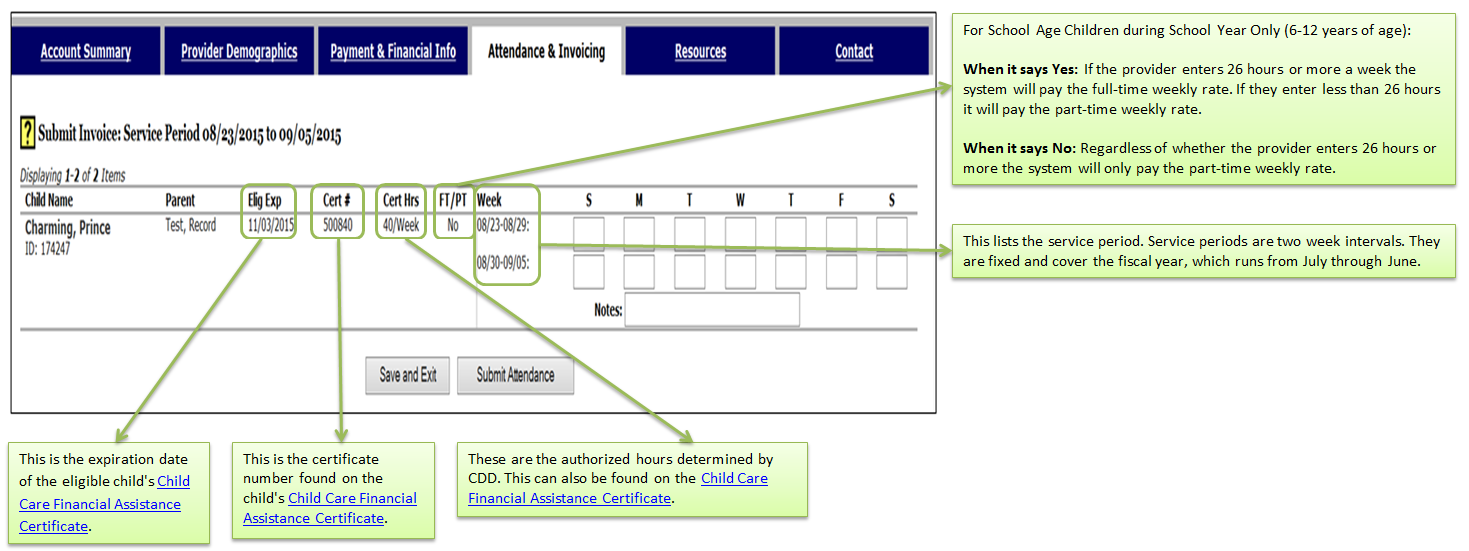
- When the attendance for ALL children for BOTH weeks has been entered, click Submit Attendance. Picture
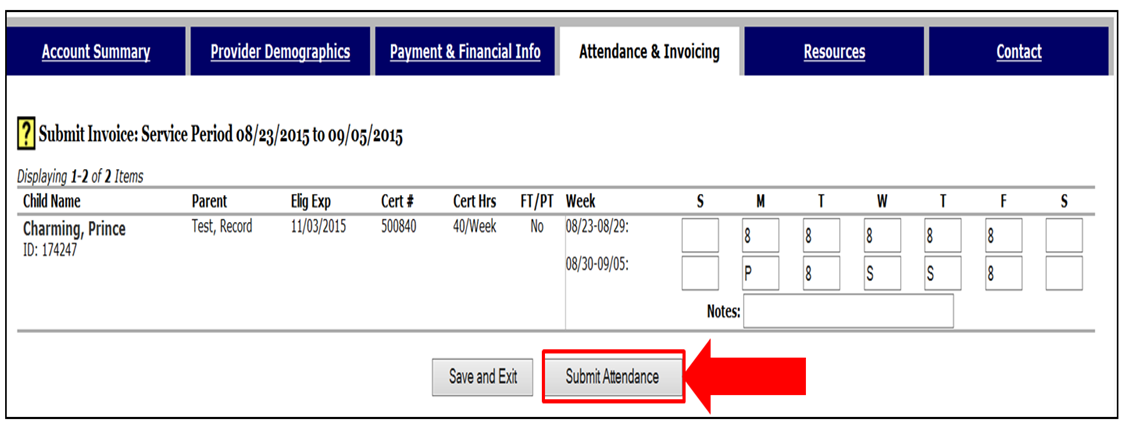
- Review the attendance to ensure it's accurate. If you missed anything, please click the Cancel button and start the process from the beginning. If the information is accurate check the box that reads, "The information I entered on this form is true, accurate, and complete", and then click Submit Attendance. Picture
- If your attendance submitted successfully you will receive an invoice number. Please note this number on your paperwork. If you did not receive an invoice number, please repeat the process from the beginning. Picture
If you have any questions, please contact the Financial Assistance Unit at 1-800-649-2642, option 5.
Highlight Search Results
Display results with all search words
Search results per page